 NovaERP Tempus Soft
NovaERP: a cloud ERP that grows from one company to a holding group
NovaERP is a web-based ERP that starts with bookkeeping and extends to accounting, inventory, sales and purchasing. Invoice entry is fast from the keyboard, Excel import takes one step, and every company's data lives in its own separate database.
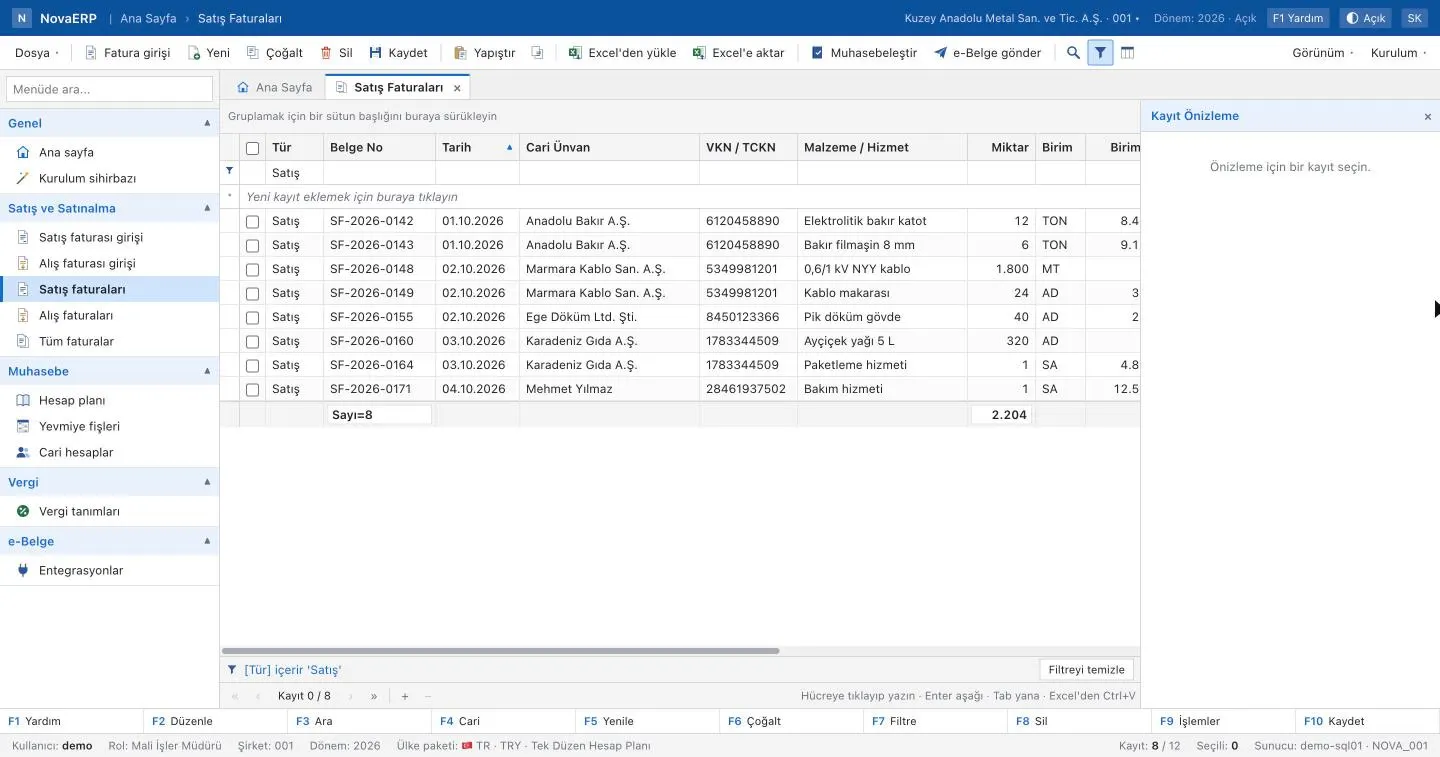
Invoice and list screens built for fast data entry
Everything works with a mouse, but the target is the keyboard: screen codes, function keys and lookups let you post an invoice without leaving the keys.
Excel import
Copy from Excel and paste with Ctrl+V, or upload an XLSX file; column headers are matched automatically. Lists export to Excel.
Barcode invoice entry
Unit and case barcodes, scale barcodes, handheld scanners and the camera.
F2 lookups
Searchable lookups on customer, item and account fields with F2; pick with arrow keys and Enter.
Tax and journal preview
VAT breakdown, withholding and the journal entry the invoice will create are visible before saving.
Powerful lists
Grouping, filter row, search, column chooser, subtotals and in-cell editing.
Command search and five themes
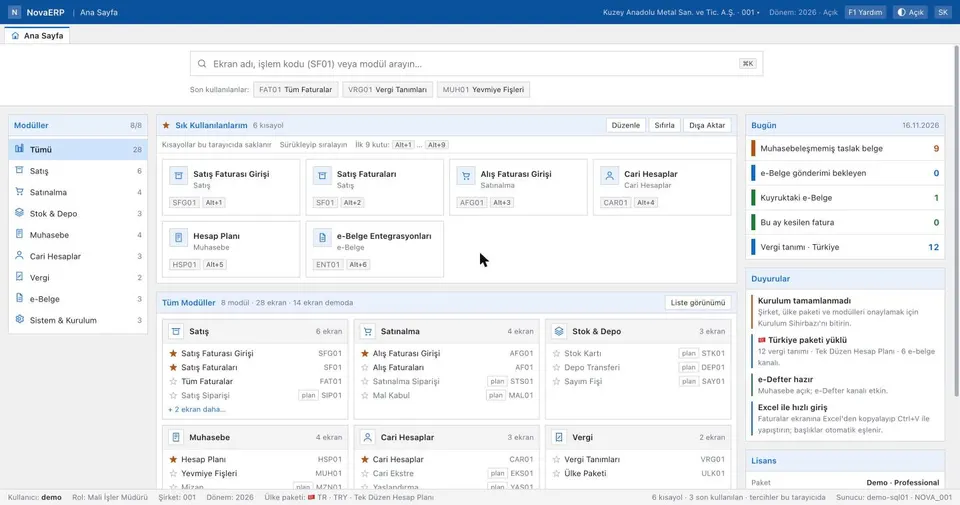
Reach any screen by code with Ctrl+K. Light, Dark, Office Blue, Sepia and High Contrast themes.
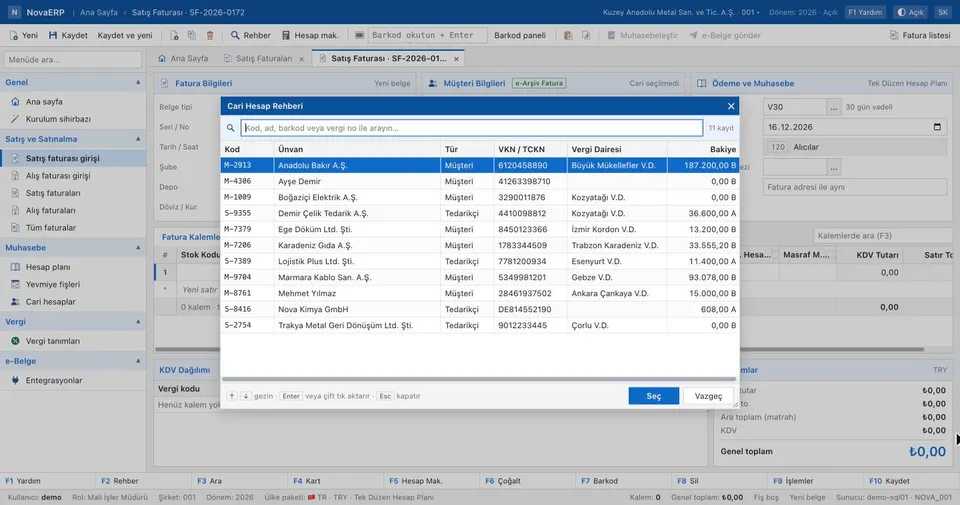
Invoicing from the keyboard
- F2 lookup, F4 customer card, F7 barcode panel, F10 save
- In the line grid Enter moves to the next field, Insert adds a row
- Unfinished invoices are kept as drafts
- A calculator opens without leaving the screen
Single company, company with branches, or holding group
You choose your structure during setup. A corner shop needs one company and a warehouse; a group sets up companies, branches and stores, warehouses or plants. The company is the legal entity: country, tax number and currency belong to the company.
- Access is limited by unit: a branch manager sees only their branch
- Role, module and unit are evaluated together
- License limits (companies, branches, users) are enforced in the database
Nova Holding                [holding]
├─ Europe                   [holding]
│  └─ Nova GmbH (DE, EUR)   [company]
│     └─ Berlin             [branch]
└─ Nova A.Ş. (TR, TRY)      [company]
   ├─ Ankara                [branch]
   │  └─ Plant              [production site]
   └─ Head office           [office]
From bookkeeping to ERP on the same data
Without the accounting module, bookkeeping ledgers run on their own. Turn the module on and the same records become journal entries in the country's chart of accounts.
| Module | Scope | Status |
|---|---|---|
| Bookkeeping | Customer and supplier accounts, cash, bank, cheques and notes, expense slips | in development |
| Sales | Orders, delivery notes and sales invoices | in development |
| Purchasing | Requests, orders and purchase invoices | in development |
| Inventory | Item cards, warehouses and quantities | in development |
| Accounting | Country chart of accounts, journal, ledger and trial balance | in development |
| e-Documents | e-invoicing and e-ledger channels per country, multiple providers | in development |
| Security and organisation | Sign-in, two-factor authentication, company structure, audit trail, privacy records | ready |
Every company's data in its own database
Companies in NovaERP never share tables. Each company signs in at its own address (company.nova.tempussoft.com) and reaches only its own database.
Separate database
The company is resolved only from the address, never from the sign-in form; nothing the client sends can point it at another company's data.
Two-factor authentication
Authenticator-app (TOTP) second factor. Administrator, auditor and privacy-officer permissions do not work without it.
Tamper-evident audit trail
Sign-ins and denied permission attempts are recorded. Entries are hash-chained; verification catches any later change.
Passwords and sessions
Passwords are salted and hashed with 210,000 iterations. Accounts lock after failed attempts; sessions close after 30 idle minutes.
GDPR and KVKK
Processing activities, consents and data-subject requests are recorded; erasure requests anonymise data while respecting legal retention.
Data location
In the cloud deployment the database is hosted in the European Union (Frankfurt). An on-premise edition is planned.
Companies in different countries, one system
Each company gets its own country pack with tax rates, chart of accounts and e-document channels. The German pack, for example, includes VAT rates and XRechnung, ZUGFeRD and Peppol channels.
Packs are prepared for Türkiye, Germany, France, the Netherlands, the United Kingdom and the United States.
Questions about NovaERP
Can I use NovaERP today?
Does NovaERP support multi-company and multi-branch groups?
Where is our data stored?
Which countries are supported?
Can we import our data from Excel?
Get in touch
Fill in the form and tell us about your structure and the software you use today; we will shape NovaERP around your workflow together. We reply the same business day.
NovaERP is built by Tempus Soft. Phone: +90 507 200 43 53 · info@tempussoft.com